Control from the menu bar
Start, pause and change the speed without leaving what you are working on, from the popover or with keyboard shortcuts that work in any app. The distance and time stay next to the icon.
 WalkingBar
GitHub
WalkingBar drives your WalkingPad over Bluetooth, keeps every walk on your Mac and publishes them to Strava.
Free and open source, for macOS on Apple Silicon.
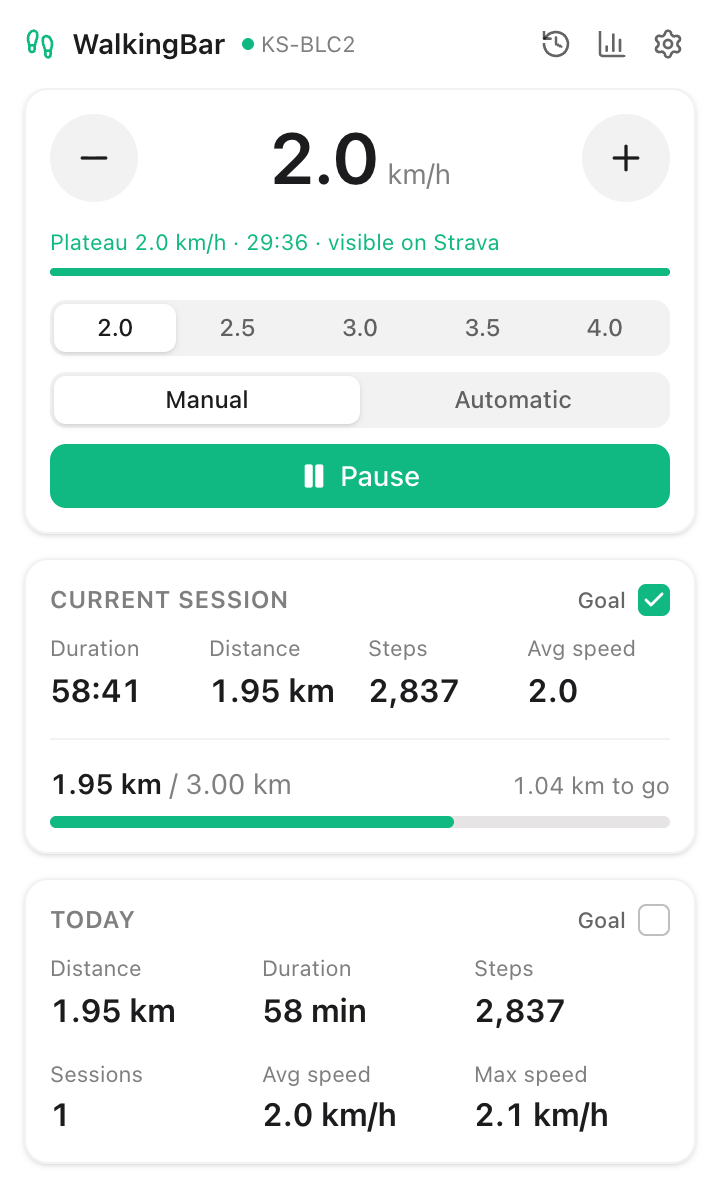
Start, pause and change the speed without leaving what you are working on, from the popover or with keyboard shortcuts that work in any app. The distance and time stay next to the icon.
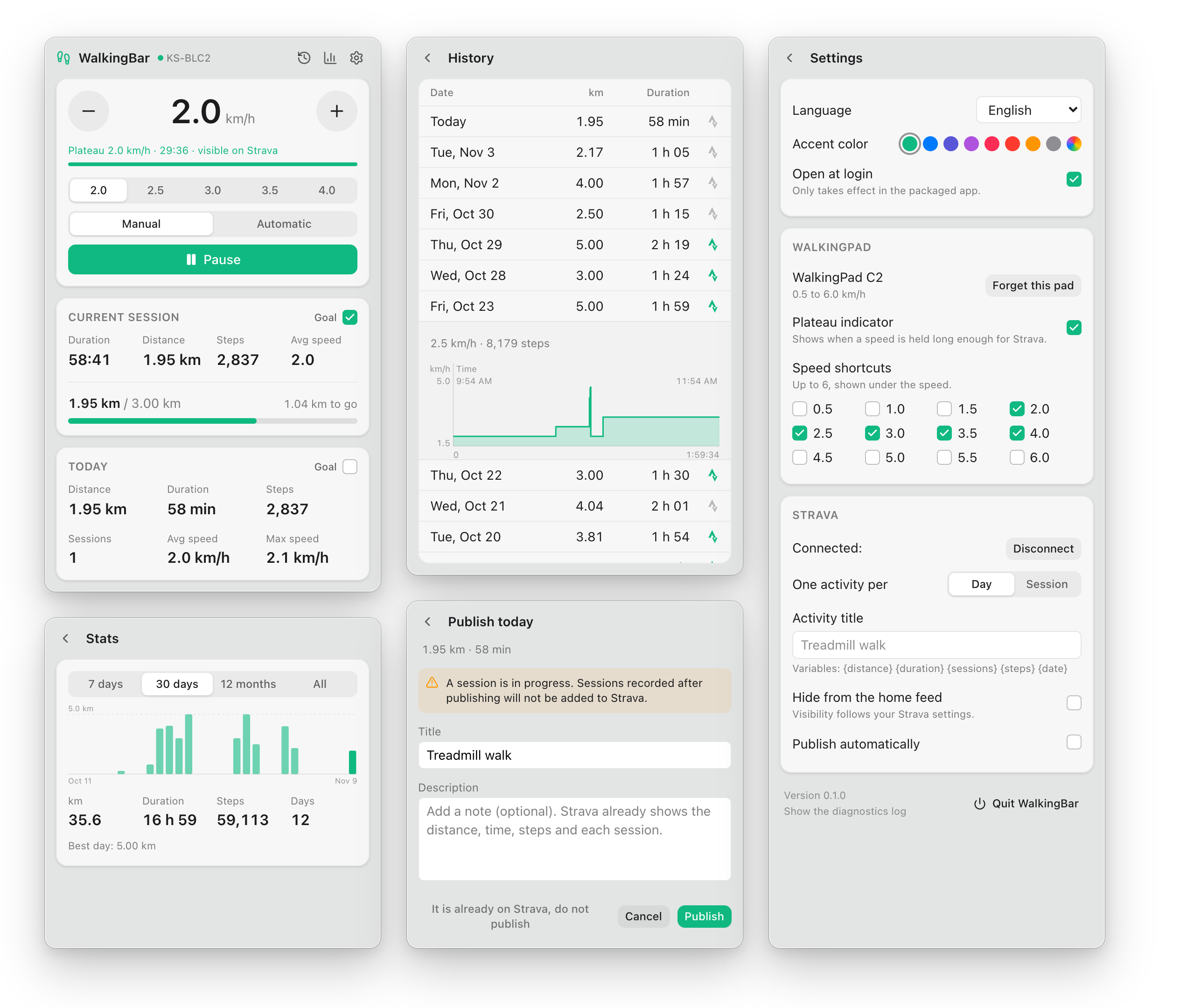
Pick up to six speeds and switch between them in one click, in manual or automatic mode.
Set a distance or time goal for the session and the day, and watch how much is left to go.
Every session is recorded on your Mac, with its speed chart and its calories. Look back over 7 days to all time, see your regularity on a heatmap, or export it all as CSV.
Publish one activity per day or per session, by hand or automatically. A plateau indicator tells you when a speed is held long enough to show on Strava.
Choose the accent color and the language: English, French, Spanish, Italian, German or Dutch.
| WalkingBar | KS Fit Official app | WalkingMate | WalkingPad+ | Paceora | WalkingPad macOS Client | Z1 WalkingPad | |
|---|---|---|---|---|---|---|---|
| Runs on | Mac menu bar | iPhone, Android | Mac menu bar | iPhone, iPad | Mac menu bar | Mac menu bar | Mac menu bar |
| Price | Free | Free | $6.99 | Subscription | $9.99 | Free | Free |
| Open source | ✓ | — | — | — | — | ✓ | ✓ |
| No account | ✓ | — | ✓ | — | ✓ | ✓ | ✓ |
| Pads | WalkingPad, KingSmith | WalkingPad, KingSmith | WalkingPad, Vitalwalk, FTMS | WalkingPad | C2, A1 Pro, R1 Pro, X21, X25 | KingSmith | Z1 |
| Start, pause and speed | ✓ | ✓ | ✓ | ✓ | ✓ | ✓ | ✓ |
| Live stats in the menu bar | ✓ | — | ✓ | — | — | — | — |
| Speed presets | ✓ | — | — | — | — | — | — |
| Global keyboard shortcuts | ✓ | — | ✓ | — | — | With Alfred | — |
| Goals | Distance, time | Distance, time, steps, calories | Steps, distance | Steps, distance, calories | — | — | — |
| History and stats | ✓ | ✓ | ✓ | ✓ | ✓ | ✓ | ✓ |
| Speed chart of each walk | ✓ | — | — | — | — | — | — |
| Regularity heatmap | ✓ | — | ✓ | — | ✓ | — | — |
| Calories | ✓ | ✓ | ✓ | ✓ | — | — | ✓ |
| CSV export | ✓ | — | ✓ | — | — | With its API | JSON |
| Publishing to Strava | ✓ | — | — | — | — | — | With its CLI |
| Apple Health | Through Strava | ✓ | With its iPhone app | ✓ | — | — | Through Strava or a Shortcut |
| Home Assistant | — | — | ✓ | — | — | ✓ | — |
Compared in November 2026 from each app's store page, website or README. A dash means the feature is not mentioned there. Apple Health only exists on iPhone and iPad: the walks WalkingBar publishes reach it through the Strava iPhone app. Something wrong? Open an issue.
You can also build it from source, with Node.js 24 and npm 11:
git clone https://github.com/cedricdelpoux/walkingpad-menu-bar.git
cd walkingpad-menu-bar
npm install
npm run dist
It has been tested on a WalkingPad C2. It speaks both the KingSmith protocol and the standard FTMS one of the newer pads, and reports from other models are welcome.